
Veritext2.1.1 - App Store
You'll be able to see results in few seconds.
Publisher Description
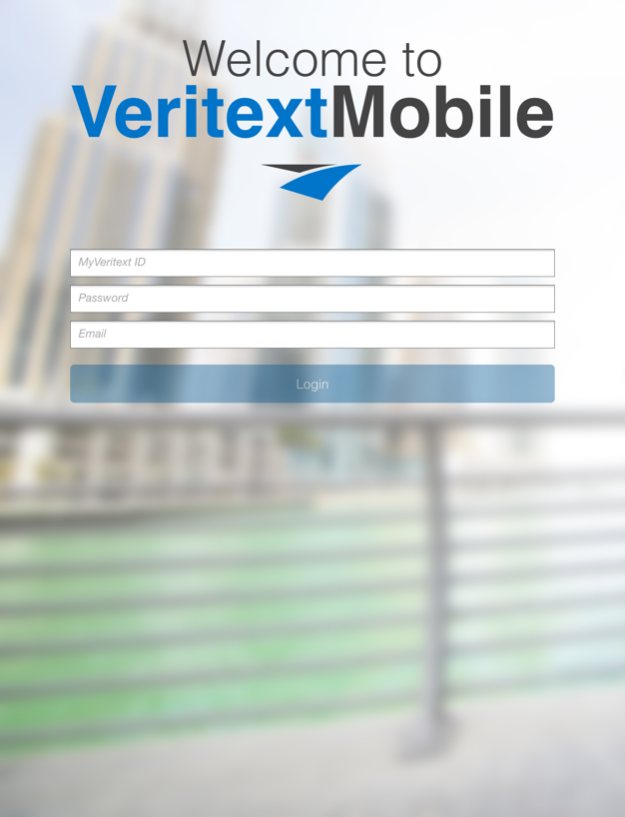

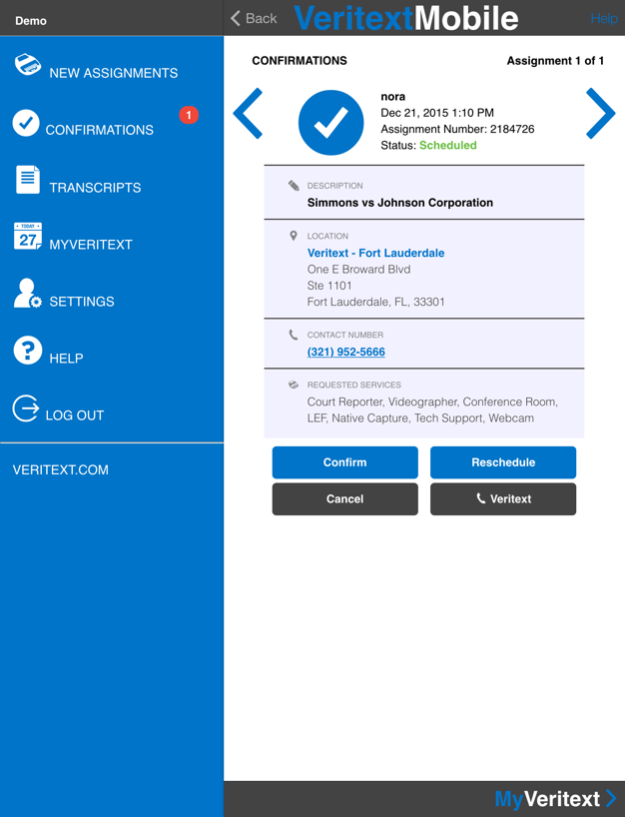
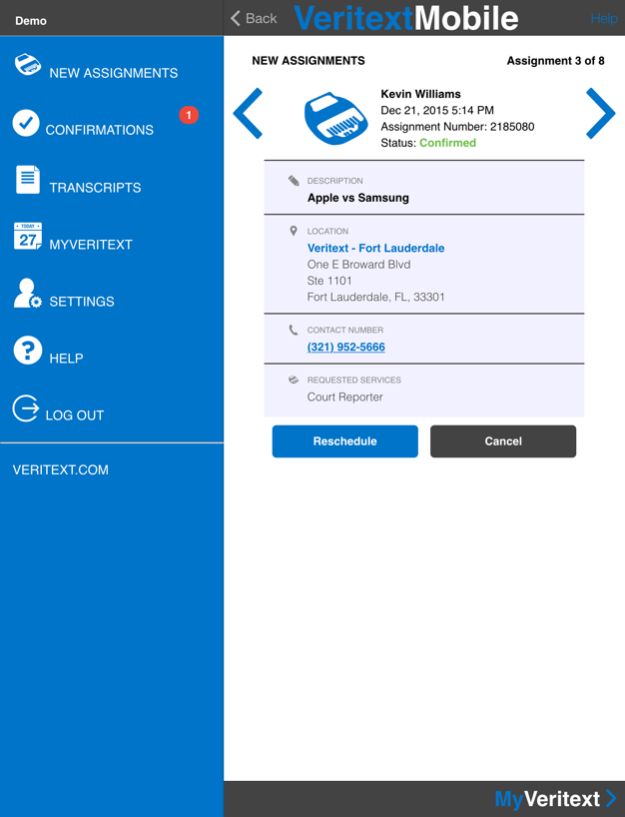
Veritext’s Mobile App brings deposition scheduling, management, and transcript downloading to your iPhone and iPad, 24/7/365.
As an extension of Veritext’s leading, nationwide deposition services, Veritext Mobile allows you download deposition transcripts and exhibits, view information about scheduled depositions, map directions to deposition locations, receive automatic calendar notifications, and reschedule depositions instantly right on your iPhone or iPad.
MyVeritext Portal Access
You can link directly to MyVeritext, Veritext’s full featured web site that offers sophisticated search functions to find the documents you want, search within documents, coordinate with legal secretaries and colleagues to manage your deposition calendar and case milestones, and more. In addition to calendar notifications, the Veritext Mobile App provides alerts to let you know when transcripts and exhibits are ready for download.
Robust App for Litigation Professionals
Veritext Mobile provides a complete set of deposition workflow tools with benefits for key litigation professionals:
•Attorneys can access to key deposition transcripts, exhibits and schedules anywhere, anytime.
•Paralegals can coordinate multiple depositions, deploy court reporters and manage deposition transcript delivery and search.
•Support staff and secretaries can schedule, reschedule and cancel depositions in real-time online.
About Veritext
Veritext is the leading national deposition and litigation services firm, with offices throughout the US and services nationwide.
Mar 10, 2016
Version 2.1.1
This app has been updated by Apple to display the Apple Watch app icon.
1. Username and e-mail address once inserted will now be saved.
2. The app will stay open for 18 hours. As we maintain best practice in security, we may reduce the timeout in the future and will notify you if and as that occurs
3. We have provided a “manual” refresh – swipe down (or pull down) on any screen to have the user screen refresh.
4. The assignment count badge has been updated to ensure that it stays up to date and correct.
5. Added the ability to control the number of assignments that will display via the “Settings” screen. Users can now display more that 10 assignments in the “Future Assignments” and “New Assignments” screens.
About Veritext
The company that develops Veritext is Veritext Corporation. The latest version released by its developer is 2.1.1.
To install Veritext on your iOS device, just click the green Continue To App button above to start the installation process. The app is listed on our website since 2016-03-10 and was downloaded 0 times. We have already checked if the download link is safe, however for your own protection we recommend that you scan the downloaded app with your antivirus. Your antivirus may detect the Veritext as malware if the download link is broken.
How to install Veritext on your iOS device:
- Click on the Continue To App button on our website. This will redirect you to the App Store.
- Once the Veritext is shown in the iTunes listing of your iOS device, you can start its download and installation. Tap on the GET button to the right of the app to start downloading it.
- If you are not logged-in the iOS appstore app, you'll be prompted for your your Apple ID and/or password.
- After Veritext is downloaded, you'll see an INSTALL button to the right. Tap on it to start the actual installation of the iOS app.
- Once installation is finished you can tap on the OPEN button to start it. Its icon will also be added to your device home screen.
Program Details
System requirements
Download information
Pricing
Version History
version 2.1.1
posted on 2016-03-10
10 Mar 2016 Version 2.1.1
1. Username and e-mail address once inserted will now be saved.
2. The app will stay open for 18 hours. As we maintain best practice in security, we may reduce the timeout in the future and will notify you if and as that occurs
3. We have provided a “manual” refresh – swipe down (or pull down) on any screen to have the user screen refresh.
4. The assignment count badge has been updated to ensure that it stays up to date and correct.
5. Added the ability to control the number of assignments that will display via the “Settings” screen. Users can now display more that 10 assignments in the “Future Assignments” and “New Assignments” screens.
version 2.1.1
posted on 2016-03-10
Mar 10, 2016 Version 2.1.1
This app has been updated by Apple to use the latest Apple signing certificate.
1. Username and e-mail address once inserted will now be saved.
2. The app will stay open for 18 hours. As we maintain best practice in security, we may reduce the timeout in the future and will notify you if and as that occurs
3. We have provided a “manual” refresh – swipe down (or pull down) on any screen to have the user screen refresh.
4. The assignment count badge has been updated to ensure that it stays up to date and correct.
5. Added the ability to control the number of assignments that will display via the “Settings” screen. Users can now display more that 10 assignments in the “Future Assignments” and “New Assignments” screens.
version 2.1.1
posted on 2016-03-10
Mar 10, 2016 Version 2.1.1
1. Username and e-mail address once inserted will now be saved.
2. The app will stay open for 18 hours. As we maintain best practice in security, we may reduce the timeout in the future and will notify you if and as that occurs
3. We have provided a “manual” refresh – swipe down (or pull down) on any screen to have the user screen refresh.
4. The assignment count badge has been updated to ensure that it stays up to date and correct.
5. Added the ability to control the number of assignments that will display via the “Settings” screen. Users can now display more that 10 assignments in the “Future Assignments” and “New Assignments” screens.
version 2.1.1
posted on 2016-03-10
Mar 10, 2016 Version 2.1.1
This app has been updated by Apple to display the Apple Watch app icon.
1. Username and e-mail address once inserted will now be saved.
2. The app will stay open for 18 hours. As we maintain best practice in security, we may reduce the timeout in the future and will notify you if and as that occurs
3. We have provided a “manual” refresh – swipe down (or pull down) on any screen to have the user screen refresh.
4. The assignment count badge has been updated to ensure that it stays up to date and correct.
5. Added the ability to control the number of assignments that will display via the “Settings” screen. Users can now display more that 10 assignments in the “Future Assignments” and “New Assignments” screens.
version 2.1.1
posted on 2011-10-07
version 2.1.1
posted on 1970-01-01
10 мар. 2016 г. Version 2.1.1
1. Username and e-mail address once inserted will now be saved.
2. The app will stay open for 18 hours. As we maintain best practice in security, we may reduce the timeout in the future and will notify you if and as that occurs
3. We have provided a “manual” refresh – swipe down (or pull down) on any screen to have the user screen refresh.
4. The assignment count badge has been updated to ensure that it stays up to date and correct.
5. Added the ability to control the number of assignments that will display via the “Settings” screen. Users can now display more that 10 assignments in the “Future Assignments” and “New Assignments” screens.
version 2.1.1
posted on 1970-01-01
2016年3月10日 Version 2.1.1
1. Username and e-mail address once inserted will now be saved.
2. The app will stay open for 18 hours. As we maintain best practice in security, we may reduce the timeout in the future and will notify you if and as that occurs
3. We have provided a “manual” refresh – swipe down (or pull down) on any screen to have the user screen refresh.
4. The assignment count badge has been updated to ensure that it stays up to date and correct.
5. Added the ability to control the number of assignments that will display via the “Settings” screen. Users can now display more that 10 assignments in the “Future Assignments” and “New Assignments” screens.
version 2.1.1
posted on 1970-01-01
10 de mar de 2016 Version 2.1.1
1. Username and e-mail address once inserted will now be saved.
2. The app will stay open for 18 hours. As we maintain best practice in security, we may reduce the timeout in the future and will notify you if and as that occurs
3. We have provided a “manual” refresh – swipe down (or pull down) on any screen to have the user screen refresh.
4. The assignment count badge has been updated to ensure that it stays up to date and correct.
5. Added the ability to control the number of assignments that will display via the “Settings” screen. Users can now display more that 10 assignments in the “Future Assignments” and “New Assignments” screens.
version 2.1.1
posted on 1970-01-01
2016年3月10日 Version 2.1.1
This app has been updated by Apple to use the latest Apple signing certificate.
1. Username and e-mail address once inserted will now be saved.
2. The app will stay open for 18 hours. As we maintain best practice in security, we may reduce the timeout in the future and will notify you if and as that occurs
3. We have provided a “manual” refresh – swipe down (or pull down) on any screen to have the user screen refresh.
4. The assignment count badge has been updated to ensure that it stays up to date and correct.
5. Added the ability to control the number of assignments that will display via the “Settings” screen. Users can now display more that 10 assignments in the “Future Assignments” and “New Assignments” screens.
Disclaimer
Official App Store Link
We do not host Veritext on our servers. We did not scan it for viruses, adware, spyware or other type of malware. This app is hosted by Apple and passed their terms and conditions to be listed there. We recommend caution when installing it.
The App Store link for Veritext is provided to you by apps112.com without any warranties, representations or guarantees of any kind, so access it at your own risk.
If you have questions regarding this particular app contact the publisher directly. For questions about the functionalities of apps112.com contact us.
